
DC: Dark Legion™ Hits Mac With Immersive Thrills
DC: Dark Legion™ is an action-packed strategy game that plunges players into a vibrant world populated by iconic DC superheroes and villains. Now, DC fans and strategy game enthusiasts can dive into the thrilling battles of DC: Dark Legion™ on their MAC devices, unlocking superior performance, enhanced visuals, and precise controls. This title brings together legendary DC characters and is more accessible to MAC users than ever through BlueStacks Air. With its robust support features, players can enjoy seamless gameplay free from the constraints of mobile devices. We tested this powerhouse on a MacBook—here’s why it stands out!
How to Install and Start Playing DC: Dark Legion™ on BlueStacks Air
Follow these steps to begin playing DC: Dark Legion™ on your Mac:
Download BlueStacks Air: Visit the game’s page and select the “Play DC: Dark Legion™ on MAC” button to download the installer. Install BlueStacks Air: Double-click the BlueStacksInstaller.pkg file and follow the setup wizard to complete the installation. Launch and Sign-In: Open BlueStacks Air via Launchpad or the Applications folder. Sign in with your Google account to access the Play Store. Install DC: Dark Legion™: Search for DC: Dark Legion™ in the Play Store and install it. Enjoy the Game! Launch the app and embark on your superhero journey!
Dive Into an Immersive DC Universe with Breathtaking Visuals
The DC Universe is renowned for its deep lore, stunning cityscapes, and visually spectacular battles. In DC: Dark Legion™, every explosion, lightning strike, and special ability is rendered in spectacular detail. Whether you're exploring Gotham’s shadowy alleyways or soaring over Metropolis, playing on a MAC with Retina Display makes the environments feel incredibly lifelike and immersive.
BlueStacks Air lets you experience the game in full-screen mode, maximizing every action-packed moment. Forget squinting at a small phone screen—enjoy pure, high-definition superhero combat with smooth frame rates and vibrant colors. The intricate designs of your favorite heroes and villains appear more dynamic than ever, turning each battle into an epic cinematic event.
Unleash Your Full Potential with Keyboard and Mouse Precision
DC: Dark Legion™ features a strategic real-time combat system where players manually control their allied heroes' ultimate abilities. While some criticize the system for limited interactivity, experienced players recognize the crucial timing of ultimates, especially in boss fights. On mobile, touch controls often feel sluggish and imprecise, complicating navigation through multiple UI elements and timing those critical ultimate moves. With BlueStacks Air on MAC, you benefit from customizable keyboard and mouse controls.
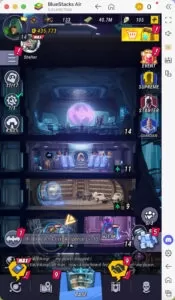
BlueStacks pre-assigns controls for each game, including DC: Dark Legion™. To view the controls, press SHIFT + TAB on your Mac keyboard. If you’re not satisfied, you can easily customize them to your liking. Players can design their own control schemes and assign specific key bindings to various in-game actions. For instance, you could assign the "S" key to open the summoning cube interface just by hovering over the area in the game. These handy bindings boost efficiency and save valuable time.
Say Goodbye to Battery Worries and Mobile Distractions
Mobile gaming comes with drawbacks—battery drain, overheating, and constant notifications that can disrupt intense moments. Playing DC: Dark Legion™ on a MAC with BlueStacks Air eliminates these frustrations. Enjoy extended gaming sessions without worrying about low battery alerts or performance dips. Additionally, gaming on a dedicated MAC setup means no interruptions from calls, messages, or app alerts. Whether you’re in a critical boss fight or a pivotal team battle, you can concentrate fully on leading your heroes to victory.
If you’re ready to unleash your inner hero or mastermind villain strategies, DC: Dark Legion™ on MAC with BlueStacks Air offers the ultimate gaming experience. Step into the action and redefine your gameplay in the battle for supremacy!
-
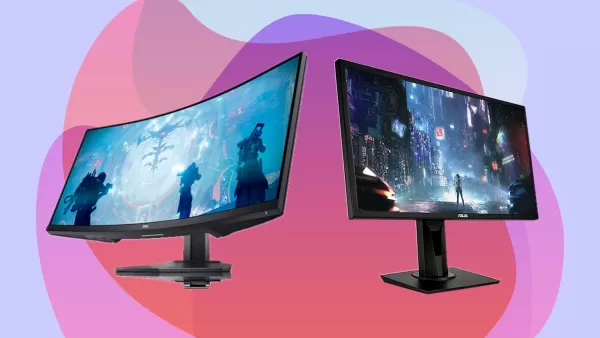 A gaming monitor is the cornerstone of any serious setup. Even with a high-performance gaming PC, your display ultimately determines how well that power translates visually. With countless brands and models available, each boasting distinct specs andAuthor : Anthony May 11,2026
 -
 Valhalla Survival is introducing three new playable heroesMani, Idis, and Sol are now available, featuring an additional Ballista skillThe latest update adds Nightmare mode, a boss raid, and various mechanical refinementsIf you’ve been playing LionheAuthor : Violet May 09,2026
-
 Mega Drum - Drumming AppDownload
 -
 SuperLandProDownload
 -
 Warlord Games List BuilderDownload
 -
 World Championship BilliardsDownload
 -
 4 Fotos 1 PalabraDownload
 -
 Slots 777 Winner - Casino GameDownload
 -
 CricVricDownload
 -
 Brasileiro Série B CalculatorDownload
 -
 BetwayDownload
 -
 Survival 456 But It's ImpostorDownload











- STALKER 2: Heart of Chornobyl - All Endings (& How to Get Them)
- Metaphor: ReFantazio - Complete Bond Guide
- NYT Hints and Answers: Guide to January 10, 2025
- Steampunk RPG Eldgear Unveiled by KEMCO
- Discover the Artifacts in Stalker 2: Locations and Acquisition
- Mushroom Go! Unleashes Co-op Dungeon Adventure for Fungi Fans